
Billing Software for Kiryana Shops: What Actually Matters at the Counter
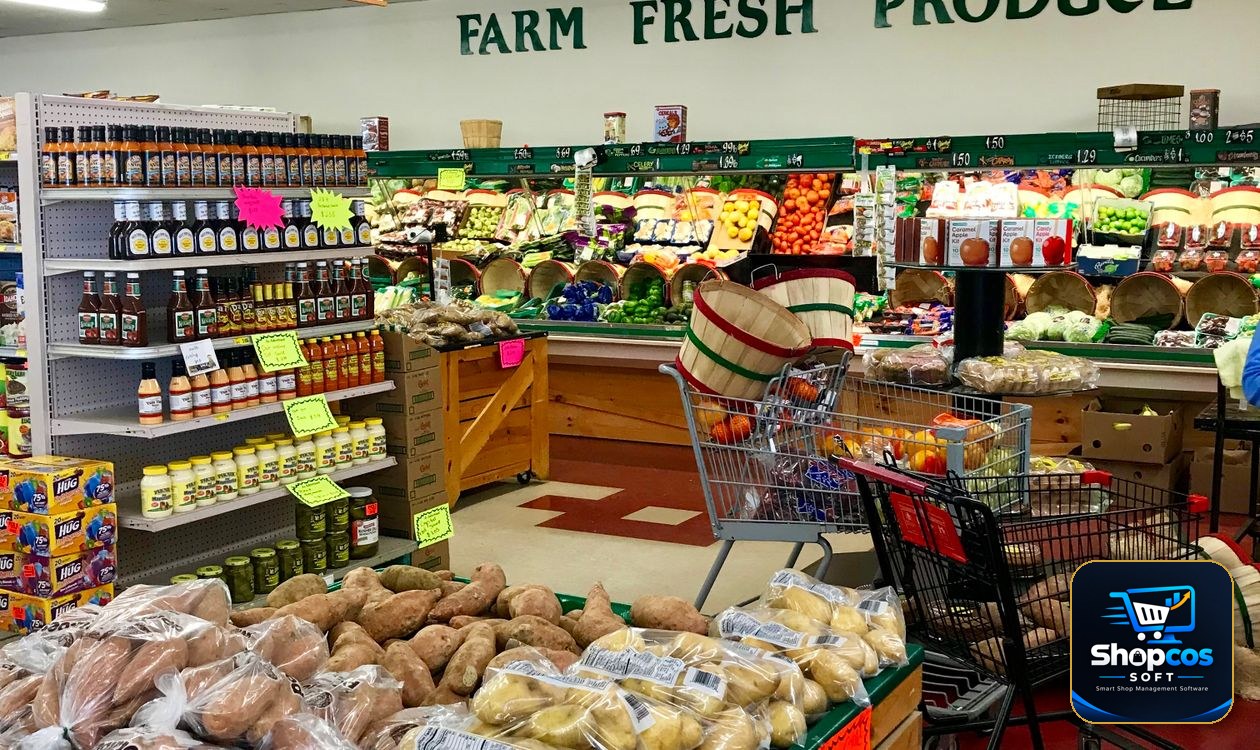
Walk into any kiryana shop in Pakistan at 9 in the morning and you will see a kind of billing no supermarket software was ever designed for. A customer wants 2 kilos of atta, half a kilo of daal masoor, a 1-litre oil pouch, three shampoo sachets, and a packet of biscuits — and half the bill, she says quietly, will go on udhar until her husband's salary comes in. Behind her, four more customers are waiting, the load shedding schedule says the power goes at 10, and your cashier is doing mental maths on a calculator while weighing loose items on a scale that nobody has calibrated since last Eid.
This is why generic billing software so often disappoints kiryana owners. It is not that the software is bad. It is that it was built for a shop where everything comes in a sealed packet with a barcode, every customer pays in full, and the internet never drops. A kiryana shop is the opposite of that shop in almost every way that matters. If you are shopping for billing software for a kiryana store, judge it on the kiryana counter, not on a demo screen in a sales office. This guide covers exactly what to look for, what to test with your own hands, and what you can safely ignore.
Why the Kiryana Counter Is Different
Five things make a kiryana shop harder to bill than almost any other retail business, and every one of them should shape your software choice:
- Loose items outsell packed items. Atta, cheeni, daal, chawal, spices, and washing powder are sold by weight, not by packet. A bill is not "1 × item" — it is "2.5 kg at Rs 180 per kg," and the price per kilo changes whenever a new sack arrives at a different wholesale rate.
- Udhar is not an exception; it is the business model. In a mohalla shop, a third or more of sales may go to regular customers on credit. The register, the khata book, and the billing counter are one system in real life, and software that treats udhar as an afterthought will force you to keep two records forever.
- The rush is concentrated and unforgiving. Morning and evening peaks decide your reputation. A bill that takes ninety seconds instead of thirty does not just annoy one customer — it builds a queue that sends the next five customers to the shop down the street.
- Prices move constantly. A new delivery of ghee, a supplier's rate revision, a seasonal jump in daal prices — kiryana prices change weekly, sometimes daily. If changing a price takes a support ticket or a settings maze, your bills will be wrong within a fortnight.
- Power and internet are unreliable. Load shedding is not a hypothetical for a kiryana shop; it is the afternoon. Software that stops working when the Wi-Fi drops is software that stops your shop.
Keep those five realities in front of you while reading every feature list a vendor sends you. If a feature does not help with one of them, it is decoration.
1. Loose-Item Billing Has to Be as Fast as Packet Billing
This is the single most important test for a kiryana shop, and the one most demos skip. A good system lets you bill a loose item in three moves: pick the item, type the weight, and watch the amount calculate itself from the per-kilo rate. Selling 750 grams of cheeni should feel no slower than scanning a biscuit packet. What to check, specifically:
- Decimal quantities. The software must accept 0.25, 0.5, 1.75 kg without rounding tricks or workarounds. If it only accepts whole numbers, it is not kiryana software.
- Multiple units per item. The same daal may sell by the kilo, by the half-kilo packet you pre-packed, and by the 5-kg sack. One item, three units, three prices — and stock must fall correctly no matter which unit you sell.
- Price-per-unit editing on the bill. When a regular customer negotiates, or when today's rate differs from yesterday's, you should be able to change the price on that one bill without rewriting the master price list. Our earlier guide to barcode systems for small shops explains how packed items and loose items live side by side on the same counter.
- Weight entry that survives a busy counter. Typing "2.5" on a keyboard is fine. What matters is that a mistyped weight is easy to fix before printing, and that the bill shows the weight clearly so the customer can check it — "2.5 kg × Rs 180 = Rs 450" settles arguments before they start.
2. Udhar Must Live Inside the Bill, Not Beside It
Here is the test that separates kiryana-ready software from the rest. Ring up a mixed bill — some items cash, the balance on udhar — and see how many steps it takes. In a proper system, it takes one: choose the customer, choose "udhar," and the bill posts to his ledger automatically, updates his balance, and deducts the stock at the same time. If you have to bill first and then open a separate app to record the udhar, you now own two records that will disagree by the end of the week.
Three udhar features matter more than all the rest combined. First, credit limits that warn at the counter: when a customer's balance crosses the limit you set, the system should say so before the goods leave, while the amount is still small and the conversation is still friendly. Second, one searchable ledger per customer, with every purchase and payment dated, so "kitna banta hai" is answered by showing a screen, not by arguing from memory. Third, statements over WhatsApp: a clean monthly statement sent to the customer in one tap does more for recovery than a week of verbal reminders. Our guide on managing udhar khata covers the recovery habits; the software's job is to make those habits effortless. And when the customer list grows past what a phone screen can hold, our PC khata guide explains why the ledger belongs on the counter computer, where the billing happens.
3. Speed at the Counter Is a Feature, Not a Luxury
Time a real bill, not a demo bill. A demo uses five scanned packets. Your counter uses fifteen mixed items, two loose weights, one price change, and a customer paying half in cash and half on udhar. Ask the vendor to bill that exact basket in front of you, and count the seconds and the clicks. The features that actually save time are unglamorous: search by typing the first two letters of an item name, favourite items pinned for the twenty things you sell every hour, a barcode scanner that reads in under a second, and a bill that prints without a confirmation dialog asking "are you sure?" for the hundredth time that day. Touch-friendly buttons matter too, because the person billing is often standing, often in a hurry, and often not a computer expert. A system your youngest staff member can learn in a day will be used; a system that needs a training course will be bypassed with the calculator within a week.
4. Stock Must Be Tracked in Kilos, Packets, and Sacks — at Once
Kiryana stock is where careless software quietly costs you money. You buy atta by the 50-kg sack, sell it by the kilo, and sometimes by the pre-packed 5-kg bag. If the software only understands "units," your stock report will say you have 40 units of atta when you actually have 40 kilos, 3 sacks, and 12 bags — and you will order more of what you already have while running out of what you need. A kiryana-ready system converts between units automatically: sell 2 kg, and the sack balance falls by 2 kg. It also warns you before you run out of a fast mover, not after the shelf is empty during the evening rush. Expiry alerts matter here as well — ghee, oil, spices, and packed snacks all expire, and a system that flags items 30 days before expiry turns a loss into a discount sale. Finally, stock must fall the moment a bill is printed, including for udhar bills. A system that only deducts cash sales is keeping a fantasy inventory.
The 10-minute test: before you buy any billing software, bill a basket of 2 kg atta, 500 g daal, one oil pouch and three sachets, put half the bill on udhar for a named customer, change the daal price mid-bill, and print. Then unplug the internet and bill the next customer. If any step fails, stalls, or needs a workaround, that software is not ready for your counter.
5. Offline Is Non-Negotiable
This one is simple, and there is no honest middle ground. If the software needs the internet to print a bill, it will fail you during load shedding, during a router fault, and during every PTCL outage in your area. A kiryana system must run entirely on the shop's own computer, print bills offline, update stock offline, and record udhar offline — and then sync a backup copy online when the connection returns. Ask the vendor the blunt question: "If I unplug the router right now, can I bill the next ten customers normally?" Watch the answer, not the brochure. The same rule applies to your data: it should live on your PC, with a backup you control, not only on a vendor's server that you lose access to the day a subscription lapses.
6. Prices Must Be Changeable in Seconds, by You
When a new sack of cheeni arrives at a higher wholesale rate, the retail price changes that same morning — not after an email to support, not after a software update, and not only by someone with an admin password you do not have. You should be able to open the item, change the rate, and have every new bill use it immediately, while old bills keep their original prices for an honest record. The same goes for discounts: a Ramazan offer on dates, a clearance price on a slow-moving snack, a regular-customer rate on atta. If changing a price feels like filing paperwork, the software is working against the way a kiryana shop actually runs.
Kiryana-Ready vs Generic: A Quick Comparison
| What the counter needs | Generic billing software | Kiryana-ready software |
|---|---|---|
| Loose items by weight | Whole units only, or awkward workarounds | Decimal kilos, price per kg, multi-unit items |
| Udhar | Separate app or manual entry | Inside the bill, with limits and WhatsApp statements |
| Morning rush speed | Many clicks per item | Search, favourites, one-second scanning |
| Stock units | One unit per item | Sacks, kilos, packets converted automatically |
| Load shedding | Stops without internet | Fully offline billing, syncs later |
| Price changes | Settings maze or support ticket | Changed at the counter in seconds |
| Staff use | Full access for everyone | Staff logins, owner-only rates and reports |
What About the Price? Do the 3-Year Maths
Almost every billing vendor in Pakistan now charges monthly — commonly Rs 1,000 to Rs 5,000 a month for a small shop, which sounds small until you multiply it. Rs 2,000 a month is Rs 24,000 a year and Rs 72,000 over three years, and the day you stop paying, the software usually stops working and your data becomes a hostage negotiation. A one-time purchase — shopcos soft, for example, is Rs 40,000 once for a lifetime license — costs more on day one and far less by year two, and the software keeps running whether or not you ever pay again. Do the maths for your own shop before you sign anything: monthly fee × 36 months, plus hardware, plus any "support plan" the vendor quietly requires. Then compare that total with a one-time price. The cheapest option on the first invoice is very often the most expensive option by the third year. Also ask what happens to your data if you leave. An honest vendor answers in one sentence; an evasive one has already answered you.
Moving From the Register to Software in One Weekend
The fear that stops most kiryana owners is not the price — it is the changeover. "Mere paas 500 items hain, main dobara kaise likhun?" You do not type them all in one sitting, and you do not close the shop to do it. The order that works:
- Start with your top 100 items. The atta, cheeni, daal, oil, tea, soap, and snacks that make up most of your daily sales. Enter those first, with correct per-kilo rates. The remaining slow items can be added over the following week as they sell.
- Enter opening stock in kilos, not packets. Count the sacks and loose stock on Friday evening, convert to kilos once, and let the system track from there. Precision on day one beats perfection later.
- Load udhar opening balances, not full histories. For each regular customer, enter one number: what he owes today. The old register stays as history; from day one, every new bill and payment is recorded properly.
- Run both systems for three days, then stop. Bill on the software and keep the calculator as a cross-check. When the day-closing totals match three evenings in a row, retire the calculator. Shops that run two systems "just in case" for months end up trusting neither.
- Train the person who actually bills. If your cashier or son handles the counter, he must be able to bill loose items, record udhar, and reprint a bill without calling you. Software only the owner can operate is a bottleneck, not a solution.
5 Mistakes Kiryana Owners Make With New Software
- Buying on the demo, not on their own basket. A demo with five scanned packets proves nothing. Always test with your real mix: loose weights, udhar, and a price change mid-bill.
- Ignoring the udhar migration. If the opening balances are wrong, every report after them is wrong. Spend one careful evening on the top 30 debtors before go-live.
- Letting everyone share one login. When all staff use one account, you can never tell who gave udhar to whom or who changed a price. Separate logins are about knowing what happened, not about distrust.
- Never checking the stock report. A system you never read is a calculator with better fonts. Once a week, open the low-stock and expiry lists and act on them — order, discount, or clear.
- Choosing monthly because it feels cheaper. See the 3-year maths above. A small monthly fee is a large lifetime bill with an off switch the vendor controls.
The Bottom Line
A kiryana shop does not need the fanciest billing software in Pakistan. It needs software that bills a kilo as easily as a packet, records udhar inside the bill, survives load shedding, lets you change a price in seconds, and keeps your stock honest in kilos and sacks at the same time. Everything else — dashboards, charts, AI features — is useful only after those five things work flawlessly at your counter, during your morning rush, with your customers standing in front of you. Test any software against that reality, with your own basket and your own udhar customer, before you pay a rupee. The right system will feel boring in the best possible way: bills print, stock falls, khata updates, and the queue moves. That is what a kiryana counter actually needs.
Photo credits: A small grocery store produce section photo by Diane Webb · A friendly shopkeeper standing behind shelves of goods photo by Demetra Ioannidou · Fresh loose vegetables at a grocery shop photo by Suzy Hazelwood — all via Pexels.
Bill kilos, packets and udhar from one counter.
shopcos soft: Rs 40,000 one-time (lifetime license), fast billing for loose and packed items, digital khata with credit limits and WhatsApp statements, automatic stock deduction on every bill, expiry alerts, 100% offline billing with online sync, full Urdu interface — and WhatsApp support in your language. Try it free for 30 days before you spend anything.
Start 30-day Free TrialQuestions? WhatsApp us: 0326 4025618